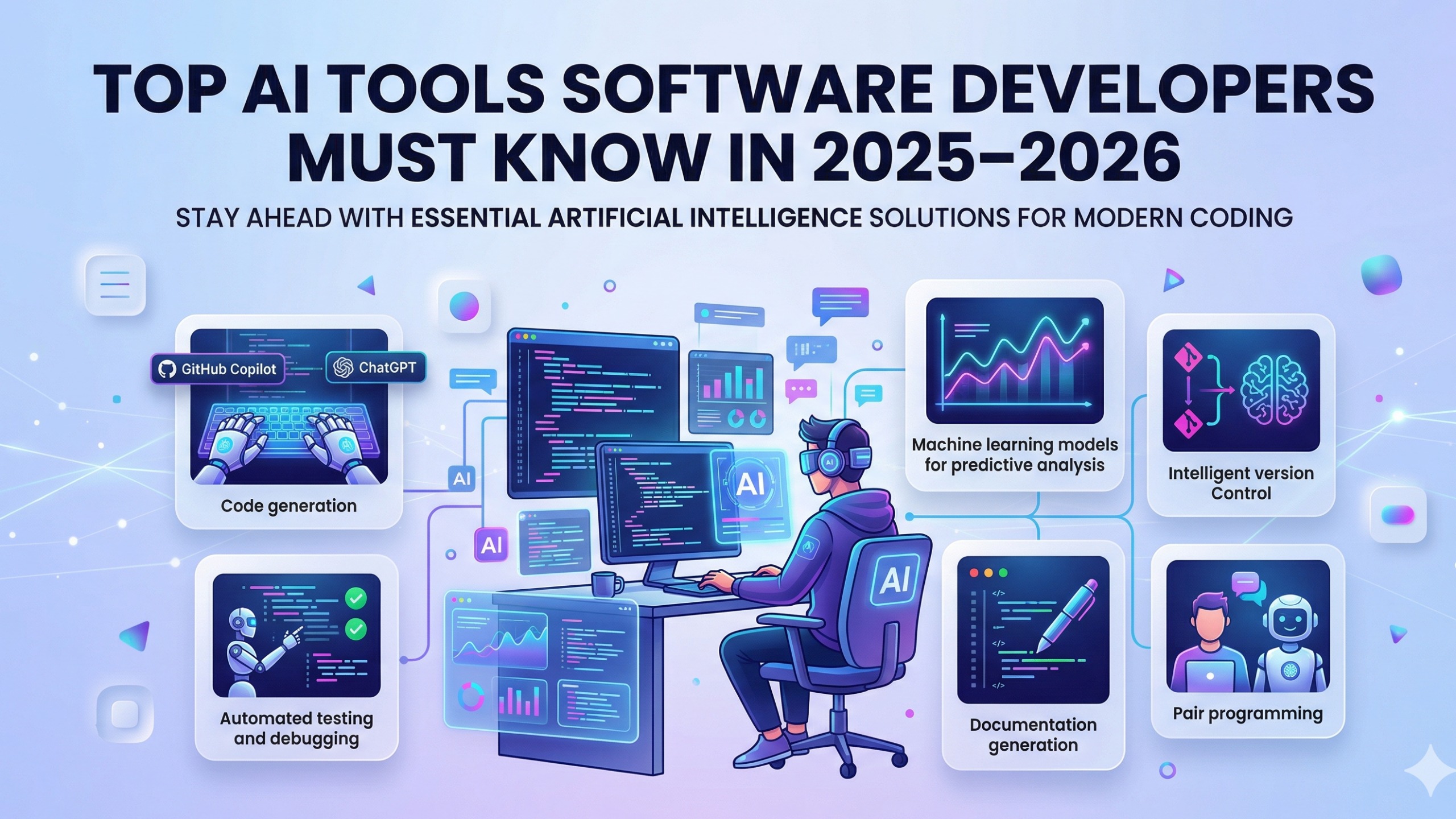
Top AI Tools Software Developers Must Know in 2025–2026
Contents
- AI Tools Software Developers 2025: The Four Stacks
- Stack 1: AI-Native IDEs — Where You Write Code Has Changed
- Stack 2: Autonomous Agents — The Frontier of Agentic Development
- Stack 3: Frontend and Design-to-Code — From Mockup to Production in Minutes
- Stack 4: Testing and Code Quality — AI-Powered Review at Scale
- The Human-in-the-Loop Factor: What AI Still Cannot Do For You
- Expert Comparison: Cursor vs. GitHub Copilot vs. Claude Code
- AI Tools Software Developers 2025: The Mumbai Market Pivot
- AI Tools Software Developers 2025: Building Your Adoption Roadmap
- Frequently Asked Questions
- What are the best AI tools for software developers in 2025?
- Will AI tools replace software developers?
- Is Cursor better than GitHub Copilot?
- How much do AI coding tools cost per month?
- What does "agentic development" mean?
- Which AI tool is best for Mumbai developers specifically?
- Master the Tools That Are Defining the Next Decade of Mumbai Tech
84% of developers now use AI tools daily. Not occasionally. Not as an experiment. Daily — as a core, non-optional part of how they write, review, test, and ship software. That number, from the Stack Overflow Developer Survey 2024, was already reshaping conversations inside engineering teams across Mumbai's Powai startups and BKC fintech firms before the year was out.
But here is the shift that makes 2025–2026 categorically different from everything that came before it: AI is no longer just about autocompletion.
The era of "AI suggests the next line of code" is over. We have entered the era of Agentic Development — where AI tools don't just complete your sentences but autonomously plan, write, debug, test, and deploy multi-file software systems based on a high-level description of what you want built. Where a developer can open a terminal, describe a feature, and watch an AI agent navigate the codebase, create files, run tests, and surface a working implementation — with the developer acting as architect and reviewer rather than typist.
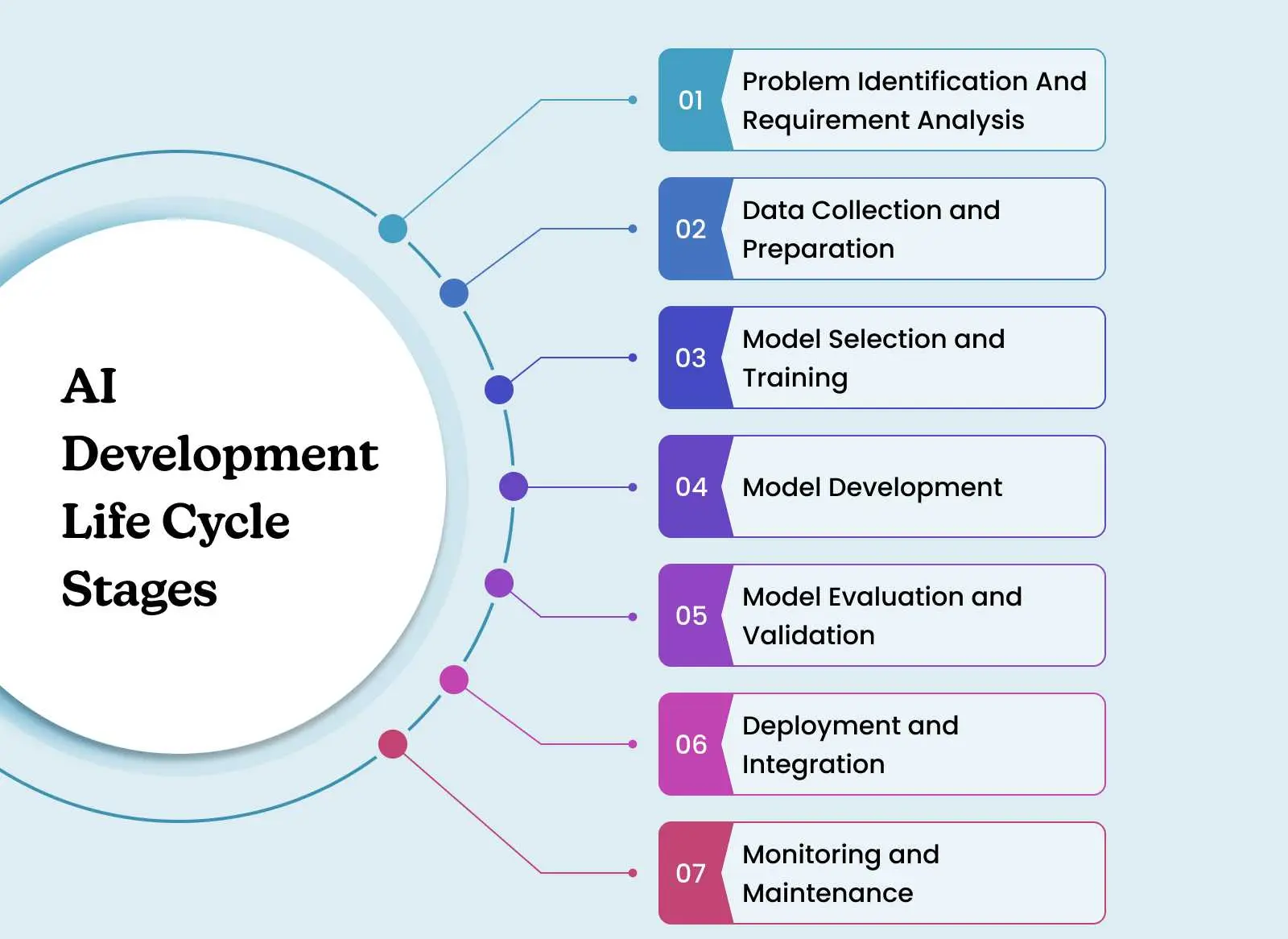
The ai tools software developers 2025 landscape has fractured into four distinct categories, each representing a different point on the human-to-AI autonomy spectrum. Understanding these categories — and choosing the right tool for each job — is one of the most consequential professional skills a developer can develop right now.
This guide covers every category, every major tool, and everything you need to know to modernise your workflow before the market does it for you.
AI Tools Software Developers 2025: The Four Stacks
Stack 1: AI-Native IDEs — Where You Write Code Has Changed
The code editor is the most intimate tool in a developer's workflow. You live in it. And the editors that AI has transformed are not just adding a sidebar chat feature — they are rearchitecting the entire development experience around the assumption that AI is a first-class collaborator, not an add-on.
Cursor — The Gold Standard of AI-Native Development
If there is one tool that defines the current moment in AI-assisted development, it is Cursor. Built by Anysphere on VS Code's foundations, Cursor is not VS Code with an AI plugin — it is an IDE redesigned from the ground up for the way AI-augmented development actually works.
What makes Cursor different:
Codebase-aware context. Cursor indexes your entire repository and makes it available to the AI in every interaction. When you ask Cursor to "add pagination to the products API," it is not working from a blank slate — it reads your existing routes, your database schema, your middleware patterns, and your naming conventions before writing a single line. The output integrates seamlessly because the AI understands the system it is working in.
Composer — Multi-File Editing in One Prompt. This is Cursor's most powerful feature and the one that most visibly crosses into agentic territory. Describe a feature that requires changes across five files — a new React component, a backend API endpoint, a database migration, a test file, and an updated route configuration — and Cursor's Composer plans and executes all five changes simultaneously, showing you a diff of every file before you accept. Work that previously required 2–3 hours of coordinated editing now takes 20 minutes of directed review.
Chat with your codebase. Ctrl+L opens a chat that knows your code. "Why is the useEffect in the Dashboard component re-running on every render?" "What does the calculateTax function in utils/finance.js actually do?" "Where in the codebase is the JWT token being stored?" — these questions get accurate, code-cited answers. It is the closest thing to having a senior developer next to you who has read every file.
The .cursorrules file. This is Cursor's superpower for teams. A .cursorrules file in your project root defines project-specific instructions for the AI — coding conventions, architectural constraints, naming standards, preferred libraries. The AI follows these rules in every interaction, making its output consistent with your team's standards rather than generic best practices.
2026 Cursor capabilities: Agent mode now supports MCP (Model Context Protocol) integrations, allowing Cursor to connect to external tools — your Jira board, your PostgreSQL database, your Slack workspace — and act on them directly from the IDE. The developer who configures this workflow effectively is operating at a fundamentally different velocity than one who doesn't.
Best for: Professional Full Stack developers who want a production-grade, team-ready AI development environment. The learning curve is slightly higher than Copilot, but the ceiling is dramatically higher.
Pricing: Free tier available (limited AI calls). Pro at $20/month for unlimited AI interactions. Business tier for teams.
Windsurf — The Deep Flow Experience
Built by Codeium, Windsurf is Cursor's most direct competitor and, for many developers, a genuinely preferred alternative. Where Cursor optimises for power and configurability, Windsurf optimises for what its team calls "Flow" — an uninterrupted, coherent AI collaboration experience that feels less like issuing commands and more like pair programming.
What makes Windsurf stand out:
Cascade — The Agentic Core. Windsurf's Cascade engine is its defining feature. Rather than treating each interaction as a discrete prompt-response cycle, Cascade maintains a running model of what you are trying to build across an entire work session. It tracks the changes it has made, the decisions it has taken, and the context that informed those decisions — allowing it to course-correct intelligently when you change direction, without losing the thread of what came before. This session-level coherence makes Windsurf particularly effective for longer, more complex feature development.
Proactive suggestions. Windsurf's AI does not only respond to prompts — it observes your coding behaviour and proactively surfaces relevant suggestions. Editing a component? It might suggest a related change in the component's test file. Fixing a bug in an API endpoint? It might flag a similar pattern elsewhere in the codebase that could have the same issue. This proactive awareness reduces the cognitive load of tracking cross-cutting concerns.
Speed. Codeium's underlying inference infrastructure is fast — noticeably faster than some competitors on code generation, which matters when you are in flow and waiting for a completion breaks the rhythm.
Best for: Developers who find Cursor's explicit command structure slightly jarring and prefer a more ambient, contextually aware AI collaboration. Particularly strong for React-heavy frontend work.
Pricing: Free tier with generous limits. Pro at $15/month. Specifically competitive on pricing relative to Cursor for individual developers.
Zed — When Performance Is the Priority
Zed is different from Cursor and Windsurf in a fundamental way: it is not built on VS Code's Electron foundation. Zed is written entirely in Rust, and it is genuinely, measurably fast — instant startup, zero latency on large file operations, and a UI that feels weightless compared to any Electron-based editor.
What makes Zed compelling for AI development:
Native performance that compounds. When you are working in a vibe coding workflow — rapid prompt, review, iterate — the speed of the editor matters. Zed's absence of Electron overhead means the tool never becomes the bottleneck. For developers on projects with very large codebases (hundreds of files, complex monorepos), Zed's indexing and navigation speed is a qualitative improvement.
AI integration via the Zed AI API. Zed integrates with multiple AI providers (Anthropic Claude, OpenAI, and others) for inline assistance and chat. The integration is lean and fast — consistent with Zed's overall philosophy of doing less, faster, better.
Collaborative editing. Zed's built-in multiplayer collaborative editing — think Google Docs for code, at native speed — is legitimately differentiated. For teams doing AI-assisted pair programming or mob programming sessions, Zed's collaboration layer is more performant than VS Code's Live Share.
Linux and macOS native. Zed is currently macOS and Linux only (Windows support in development). For Mumbai developers on Mac or Linux workstations — common in the startup and product company segment — this is a non-issue.
Best for: Performance-conscious developers who feel VS Code's weight and want a faster, leaner environment without sacrificing AI capability. Strong choice for Rust developers (for obvious reasons) and developers working on large, complex codebases.
Pricing: Free. The AI features require API keys for the underlying models; Zed itself has no subscription.
Stack 2: Autonomous Agents — The Frontier of Agentic Development
If AI-native IDEs represent AI as a development partner, autonomous agents represent AI as a development employee — one you can assign a task to, walk away from, and return to find meaningful progress made.
This is the most rapidly evolving category in AI tooling, and also the one that requires the most developer judgment to use effectively. An autonomous agent running without sufficient oversight can make large, coherent, and completely wrong decisions. The developer who understands how to structure tasks for autonomous agents — and how to review their output — is the one who captures the productivity benefit without the rework cost.
Claude Code — Anthropic's Terminal-Native Agent
Claude Code is a command-line AI agent from Anthropic that runs directly in your terminal, has full access to your local filesystem, and can autonomously write code, run tests, execute shell commands, read documentation, and iterate on its own output.
What makes Claude Code distinctive:
Terminal-native, not IDE-dependent. Claude Code operates independently of your IDE. You invoke it from the terminal: claude "Add a complete authentication system to this Express API with JWT refresh token rotation" — and it reads your project files, plans the implementation, writes the code across multiple files, runs your existing test suite to check for regressions, and presents a summary of what it did and why.
Genuine autonomy with accountability. Claude Code doesn't just generate code — it acts. It creates files, modifies existing ones, runs commands, and reports its actions. By default, it asks for confirmation before executing significant changes, but with --auto-approve it operates fully autonomously. This level of agency makes it the right tool for well-defined tasks where the developer wants to delegate completely — and a tool that requires clear task framing to use responsibly.
Deep reasoning on complex tasks. Claude Code runs on Anthropic's most capable models, and it uses extended thinking on complex tasks — working through architecture decisions, trade-offs, and implementation strategies before writing a line of code. For non-trivial features, this thoughtfulness produces noticeably better-structured output than agents that move straight to implementation.
MCP (Model Context Protocol) integration. Claude Code supports MCP servers — extensible tool integrations that give the agent access to external services. Connect it to your database, your documentation system, your GitHub issues, or your deployment pipeline, and it can act across all of them in a single agentic session.
Best for: Backend and Full Stack developers who want autonomous task execution on clearly scoped features. Particularly powerful for refactoring, test suite generation, documentation, and infrastructure-as-code tasks where the scope is well-defined and the output is highly verifiable.
Pricing: Pay-per-use via Anthropic API. The cost scales with task complexity — simple tasks use few tokens, complex multi-file generations use more.
Cline — Open-Source Autonomous Agent
Cline (formerly Claude Dev) is an open-source autonomous agent that runs as a VS Code extension. It shares Claude Code's philosophy of genuine autonomy — it can create and edit files, execute terminal commands, and use a web browser — but as an open-source, community-driven project, it offers flexibility and customisability that a commercial tool does not.
What makes Cline compelling:
Model-agnostic. Cline works with any LLM provider — Anthropic Claude, OpenAI GPT-4o, Google Gemini, or local models via Ollama. This flexibility means developers can choose the model that best fits the task (and their budget) rather than being locked into a single provider.
Full transparency. Every action Cline takes is shown to the user before execution, with a clear explanation of what it is doing and why. The human-in-the-loop design is explicit — you approve each significant action rather than approving once and watching it run. For developers who want the benefits of autonomy without feeling like they've lost control of their codebase, this is a significant design advantage.
Browser integration. Cline can open a headless browser, navigate to URLs, screenshot the result, and use visual feedback to guide its actions. This unlocks workflows that code-only agents cannot access: scraping documentation, testing a web UI visually, or verifying that a deployed change looks correct.
Community and extensibility. Being open-source, Cline benefits from a large and active contributor community. Custom tools, integrations, and workflow patterns are shared and developed collaboratively. For developers who want to extend their agent beyond its defaults, the architecture supports it.
Best for: Developers who value open-source, model flexibility, and transparent human-in-the-loop control. Also the better choice for teams where vendor lock-in is a concern or where cost predictability matters.
Pricing: Free and open-source. Model costs depend on your chosen provider.
Stack 3: Frontend and Design-to-Code — From Mockup to Production in Minutes
The frontend development workflow has been transformed more visibly than almost any other development category by AI tooling. The tools in this stack collapse the distance between "what a designer imagined" and "what a developer ships" — sometimes to near zero.
v0.dev — Vercel's UI Generation Platform
v0 is Vercel's AI-powered UI generation tool, and it is one of the most immediately impressive demonstrations of what LLMs can do with design intent. Describe a UI component or an entire page — "a dashboard with a sidebar navigation, a metrics grid at the top showing key KPIs, and a data table below with sorting and filtering" — and v0 generates production-quality React code using Tailwind CSS and shadcn/ui components.
What makes v0 a developer-grade tool (not just a demo):
Production-quality output. v0 doesn't generate approximate code that needs significant rework — it generates accessible, responsive, properly structured React components that represent a genuine starting point for production development. The use of shadcn/ui as the component foundation means the output is consistent with the component library that the majority of serious React projects in 2025 are using.
Iterative refinement through conversation. After the initial generation, you can refine: "Make the sidebar collapsible," "Change the metrics grid to a 4-column layout on desktop and 2-column on mobile," "Add a loading skeleton state for the data table." Each iteration updates the code and the preview simultaneously. The conversation history forms a spec for the component.
Direct deployment to Vercel. Generated components can be deployed directly from v0's interface — useful for rapid prototyping and client presentations where the goal is a working demo, not a codebase to maintain.
The Mumbai use case: Andheri's digital agencies and Powai's early-stage startups frequently need to move from a Figma file to a working frontend rapidly. v0 compresses the "translate design to code" phase significantly, freeing frontend developers to focus on interactivity, state management, and API integration rather than layout implementation.
Best for: Frontend developers who want a rapid starting point for new UI work; product teams who want to generate and compare UI options quickly; developers without strong CSS skills who need professional-looking components.
Builder.io — Design to Code with Enterprise Reach
Builder.io takes a different and complementary approach to v0. Where v0 starts from a text description, Builder.io integrates directly with Figma designs and generates code in your preferred framework — React, Next.js, Vue, Angular, Svelte, or even iOS/Android native.
What makes Builder.io powerful:
Figma-to-code at scale. Builder.io's Figma plugin can convert entire page designs — complete with responsive breakpoints, interactive states, and component variations — into clean, framework-native code. For teams with a design workflow centred on Figma (the majority of product companies in Mumbai), this is a significant workflow upgrade.
Visual development platform. Beyond code generation, Builder.io functions as a visual CMS — a platform where marketing and content teams can make layout changes to landing pages and marketing content without engineering involvement. For Mumbai's SaaS companies that need marketing teams to move fast without creating developer bottlenecks, this is a genuinely valuable operational capability.
Multi-framework output. The ability to generate code for multiple frameworks from the same Figma source is particularly valuable for agencies that work across different client codebases, or for enterprises that have different parts of their product on different tech stacks.
Best for: Teams with established Figma design workflows who want to reduce the design-to-code handoff time. Agencies building multiple client projects. Enterprises with marketing teams that need visual content control.
Stack 4: Testing and Code Quality — AI-Powered Review at Scale
Testing and code review are the unglamorous but critical disciplines that separate code that works in demos from code that works in production. AI tools in this category are making high-quality testing and review accessible at a speed and scale that was previously only achievable by large, experienced teams.
Qodo (Formerly Codium) — The AI Code Review Partner
Qodo is an AI-powered code quality platform that integrates into your IDE and CI/CD pipeline to provide intelligent test generation, code review, and quality assurance. Renamed from Codium in 2024, Qodo represents the maturation of AI-assisted testing from a novelty to a professional-grade workflow tool.
What Qodo does:
AI-powered test generation. Given a function, Qodo analyses its behaviour, infers its intent, and generates a comprehensive test suite — including edge cases, boundary conditions, and failure scenarios that developers frequently miss when writing tests manually. For a calculateLoanEMI function at a Mumbai Fintech company, Qodo would generate tests for normal inputs, zero interest rates, very large loan amounts, decimal precision edge cases, and invalid inputs — thoroughly, from a single analysis.
Pull request code review. Qodo's PR review feature analyses code changes in the context of the broader codebase and provides structured feedback: logic errors, security vulnerabilities, missing error handling, performance concerns, and test coverage gaps. This augments (not replaces) human code review by ensuring that mechanical quality checks are completed before the reviewer's attention is engaged with higher-level concerns.
Git-aware context. Qodo understands git history — it can trace why a piece of code was written the way it was by examining the commit history and PR discussions that produced it. This context makes its review comments more relevant and its test generation more accurate.
The quality flywheel: The combination of AI test generation and AI code review creates a quality flywheel — better tests surface bugs earlier, and code review catches patterns that produce bugs, reducing the rate of new bugs being introduced. For Mumbai teams building Fintech applications where data correctness is non-negotiable, this compounding quality improvement is a direct business value.
Best for: Engineering teams that want to raise their testing and code quality floor without a dedicated QA team. Particularly valuable for Full Stack developers who own their testing and want AI to identify the edge cases they missed.
Pricing: Free tier for individual developers. Team and Enterprise tiers with CI/CD integration.
The Human-in-the-Loop Factor: What AI Still Cannot Do For You
Here is the conversation that the tool landscape makes too easy to skip — and too important to ignore.
Every tool in this guide is a multiplier, not a replacement. The mathematical model is precise: a multiplier applied to zero is still zero. And the "zero" in that equation is the developer who does not understand what they are building well enough to direct AI effectively, review AI output critically, or own the consequences when something goes wrong.
What AI tools require from you to work effectively:
Prompt Engineering. Every autonomous agent, every IDE assistant, every design-to-code tool requires clear, contextual, well-structured input to produce reliable output. Vague prompts produce vague code. The developer who can describe a feature precisely — specifying inputs, outputs, edge cases, integration context, and constraints — gets consistently better results than one who describes the same feature loosely. This is a skill, and it is the skill that makes the 10x productivity claim real rather than aspirational.
Systems Thinking. An AI agent can implement a feature. It cannot see the system. The architectural decisions — monolith vs. microservices, synchronous vs. event-driven, normalised vs. denormalised schema, SQL vs. NoSQL — require a developer who understands the trade-offs deeply enough to make them deliberately. AI will implement whatever architecture you point it toward; it will not tell you if your architecture is wrong.
Security Judgment. AI-generated code works, until it exposes a vulnerability you didn't notice. JWT stored in localStorage. SQL queries without parameterisation. Missing rate limiting on authentication endpoints. Missing output sanitisation. These are patterns that AI tools generate plausibly but incorrectly — and catching them requires a developer with genuine security awareness. The code reviewer who does not understand what they are reviewing is not providing safety; they are providing an illusion of it.
Production Ownership. No AI tool is on call at 2 AM when your payment service goes down. The developer who built it owns it. Ownership requires understanding — of the architecture, of the failure modes, of the dependencies, of the monitoring. AI accelerates the building; humans are still responsible for the operating.
The developers who will define Mumbai's next generation of tech leaders are not the ones who delegate the most thinking to AI. They are the ones who use AI to amplify their thinking — moving faster, building more, covering more ground — while retaining the judgment, the ownership, and the craft that makes great software great.
Expert Comparison: Cursor vs. GitHub Copilot vs. Claude Code
| Dimension | Cursor | GitHub Copilot | Claude Code |
|---|---|---|---|
| Best For | Full Stack developers wanting deep codebase-aware AI collaboration in a full IDE environment | Developers who want AI assistance within existing VS Code or JetBrains workflows with minimal setup | Backend, Full Stack, and DevOps engineers who want autonomous, terminal-native task execution |
| Key Feature | Composer (multi-file agentic editing); codebase-wide context; .cursorrules team configuration | Inline code completion; GitHub integration; GitHub Copilot Chat; multi-IDE support | Autonomous multi-file code writing, test execution, and shell command running from the CLI |
| Level of Autonomy | High — Composer can plan and execute multi-file changes in a single prompt | Moderate — suggests and completes code but does not independently plan or execute multi-step changes | Very High — operates as a fully autonomous agent; can run test suites, create files, and iterate independently |
| IDE Dependency | Yes — Cursor is a standalone IDE (VS Code fork) | No — integrates into existing IDEs (VS Code, JetBrains, Neovim, etc.) | No — terminal-native; IDE-agnostic |
| Team Configuration | Excellent — .cursorrules enables shared team AI behaviour standards | Good — organisation-wide policies via GitHub admin settings | Good — configurable via system prompt and MCP tool definitions |
| Context Window | Large — indexes full repo with smart context selection | Moderate — file and surrounding code context | Very large — Claude's full context window available for each task |
| Pricing | Free tier; $20/month Pro | $10/month individual; $19/month business | Pay-per-use via Anthropic API |
| Open Source? | No | No | CLI is open source; model is proprietary |
| Best Scenario | "I want to build a full feature with multi-file coordination from inside my IDE" | "I want intelligent autocomplete and chat assistance within my existing VS Code setup" | "I want to assign a well-defined task to an agent, let it run, and review the output" |
The strategic answer: These tools are not mutually exclusive. The most productive developers in 2026 use Cursor or Windsurf as their daily IDE, GitHub Copilot for inline completions when legacy tooling requires VS Code, and Claude Code for autonomous task execution on well-scoped backend and infrastructure work. The combination covers every point on the autonomy spectrum.
AI Tools Software Developers 2025: The Mumbai Market Pivot
Mumbai's tech ecosystem is not just adopting AI tools passively — it is actively restructuring its hiring expectations around AI fluency. And the pace of this restructuring in 2025–2026 is faster than most developers who have not been tracking it closely have realised.
The Andheri and Powai signal: In the startup corridors that drive Mumbai's most innovative hiring, job descriptions have changed. The new language appearing consistently in Full Stack Developer requirements across Andheri's startup belt and Powai's product companies includes: "experience with AI-native IDEs (Cursor or equivalent)," "demonstrated ability to integrate LLM APIs," and "comfortable working in an AI-augmented development workflow." These are not future aspirations — they are current requirements, posted by companies that are hiring now.
The BKC enterprise pivot: Even Mumbai's conservative financial technology sector is moving. Banking technology firms and Fintech companies in BKC that previously viewed AI development tools with caution are now formally evaluating and rolling out AI development environments at the team level. The driver is not enthusiasm — it is competitive necessity. A development team that ships features at AI-augmented velocity against a team that doesn't is producing a measurable business advantage, and Mumbai's Fintech companies are acutely aware of competitive advantages.
The salary signal: The AI tools proficiency premium is real and documented. In Mumbai's 2025–2026 hiring market, Full Stack developers who can demonstrate genuine AI tool fluency — not just familiarity, but a portfolio of AI-assisted work — are consistently commanding 20–35% above the market rate for their experience level. The tools are not the differentiator for much longer — in 12–18 months, they will be expected, not rewarded. The premium window belongs to 2025–2026.
AI Tools Software Developers 2025: Building Your Adoption Roadmap
Knowing which tools exist is the beginning. Building a deliberate adoption plan is what converts awareness into capability. Here is a suggested roadmap based on experience level:
If you are a developer with 0–2 years of experience: Start with GitHub Copilot (it integrates into the VS Code you already use) or switch to Cursor. Spend 30 days using AI assistance for every single coding task — do not write a function manually if you can generate it. The goal is not to produce better code immediately; it is to develop the prompt fluency that makes you productive with every AI tool you will use for the rest of your career.
If you are a developer with 2–5 years of experience: Cursor or Windsurf as your primary IDE. Add Claude Code for autonomous backend tasks. Start using v0 for any new UI work. Integrate Qodo into your PR workflow. Build one LLM API integration — any integration — and add it to your portfolio.
If you are a senior developer or engineering manager: Evaluate AI tooling at the team level, not just the individual level. Implement a .cursorrules file with your team's coding standards. Run an AI-assisted sprint retrospective — compare velocity, code review cycles, and defect rates between AI-augmented and non-augmented work. The data will be persuasive.
Frequently Asked Questions
What are the best AI tools for software developers in 2025?
The best AI tools for software developers in 2025 depend on your workflow layer. For IDE-level assistance, Cursor is the gold standard for professional developers, with Windsurf as a strong alternative focused on flow state and contextual awareness. For autonomous task execution, Claude Code (terminal-native) and Cline (VS Code extension, open-source) represent the agentic frontier. For frontend and UI generation, v0.dev by Vercel and Builder.io convert natural language and Figma designs into production React code. For testing and code review, Qodo provides AI-powered test generation and PR analysis. Most experienced developers use tools from multiple categories rather than relying on a single tool.
Will AI tools replace software developers?
No — AI tools are amplifiers, not replacements. The 2025–2026 landscape is making this clearer, not less clear. AI tools dramatically accelerate implementation speed, but they require developer judgment at every step: architectural decision-making, security review, prompt engineering, system design, and production ownership are all irreducibly human. The developers most at risk are those who have been practicing a craft defined entirely by mechanical code production — that layer is being automated. The response is not to stop coding; it is to move up the stack toward the architectural, product, and judgment layers where human intelligence remains irreplaceable.
Is Cursor better than GitHub Copilot?
They serve different purposes and are not direct substitutes. GitHub Copilot integrates into your existing IDE and provides excellent inline completion and chat assistance — it is the easier choice for developers who want AI assistance without changing their editor. Cursor is a full IDE replacement that offers deeper codebase-aware context, multi-file agentic editing (Composer), and a higher ceiling on AI collaboration capability. Most developers who switch to Cursor from VS Code + Copilot do not go back — but the transition requires adjusting to a new environment. For developers in large teams with standardised tooling requirements, Copilot's multi-IDE support is a practical advantage.
How much do AI coding tools cost per month?
Costs in 2025–2026 vary significantly: GitHub Copilot is $10/month for individuals, $19/month for business accounts. Cursor is free on the base tier; Pro is $20/month. Windsurf is free with a generous limit; Pro is $15/month. Zed is free (you pay for API access to the underlying AI models). Cline is free and open-source (model API costs vary). Claude Code charges per use via Anthropic's API — costs depend on task complexity. v0.dev by Vercel is free up to a monthly message limit, with paid tiers for heavier usage. Qodo has a free individual tier with paid team plans. For a professional developer, the combined investment of ₹1,500–3,000/month for a well-chosen AI tool stack produces productivity returns that significantly exceed the cost.
What does "agentic development" mean?
Agentic development refers to AI tools that can autonomously plan and execute multi-step development tasks — not just respond to a single prompt, but break a complex goal into subtasks, make decisions about how to implement each one, execute those decisions (writing files, running commands, calling APIs), observe the results, and iterate. Tools like Claude Code and Cline represent this agentic category. The developer's role in agentic development shifts from line-by-line implementation to task specification, architectural oversight, and output review. Agentic development is the most significant shift in how software is built since the introduction of high-level frameworks.
Which AI tool is best for Mumbai developers specifically?
For Mumbai developers targeting startup roles in Powai and Andheri, Cursor or Windsurf combined with v0.dev and Claude Code represents the most hireable combination — these are the tools appearing in job descriptions and technical discussions at the companies doing the best hiring in the startup corridor. For developers targeting enterprise roles in BKC or IT services companies in Navi Mumbai, GitHub Copilot (due to its broad enterprise adoption and multi-IDE support) and Qodo (for the code quality signals it sends in interviews) are the strategically stronger choices. For developers building their portfolio for any Mumbai role, integrating at least one LLM API feature into a portfolio project — using any of the above tools — is the most impactful immediate step.
Master the Tools That Are Defining the Next Decade of Mumbai Tech
Reading about AI tools is the first step. Building fluency with them is what converts awareness into a career advantage. And in Mumbai's 2025–2026 tech hiring market, the window during which that fluency is a differentiator — rather than an assumed baseline — is finite and shortening.
TechPaathshala's AI-Assisted Development Workshop is a hands-on, project-based program designed to take you from "aware of these tools" to "genuinely productive with them" — inside real Full Stack projects, with real AI-assisted workflows, guided by mentors who use these tools professionally.
In the workshop, you will:
- Build and ship a complete application using an AI-augmented workflow — from architecture conversation to multi-file implementation with Cursor, through to deployment. Not following a tutorial — building your own project, directed by you, executed with AI.
- Develop a personal AI tool stack — guided selection and configuration of the tools best suited to your experience level, target role, and preferred tech stack, along with the setup workflows and configuration files (
.cursorrules, system prompts, MCP integrations) that make them perform optimally. - Practice the human-in-the-loop skills — the prompting vocabulary, the critical review habits, and the architectural decision-making frameworks that make AI tool usage safe and powerful rather than fast and risky.
- Build an AI-integration portfolio project — one LLM API integration, documented and deployed, that demonstrates AI-augmented development capability to any Mumbai tech interviewer.
- Leave with the AI tool proficiency signal — a portfolio, a GitHub history of AI-assisted commits, and the ability to answer "tell me about your experience with AI tools" in any technical interview with concrete, demonstrated evidence.
The developers who will define Mumbai's next generation of engineering teams are building these skills now. The workshop is how you become one of them.
👉 Register for TechPaathshala's AI-Assisted Development Workshop — and build the AI-augmented developer profile that Mumbai's best tech employers are competing to hire.
TechPaathshala is a Mumbai-based Full Stack developer training platform. Our curriculum evolves in real time with Mumbai's tech hiring market — so the skills we teach are always the ones the city's best employers are actively hiring for.