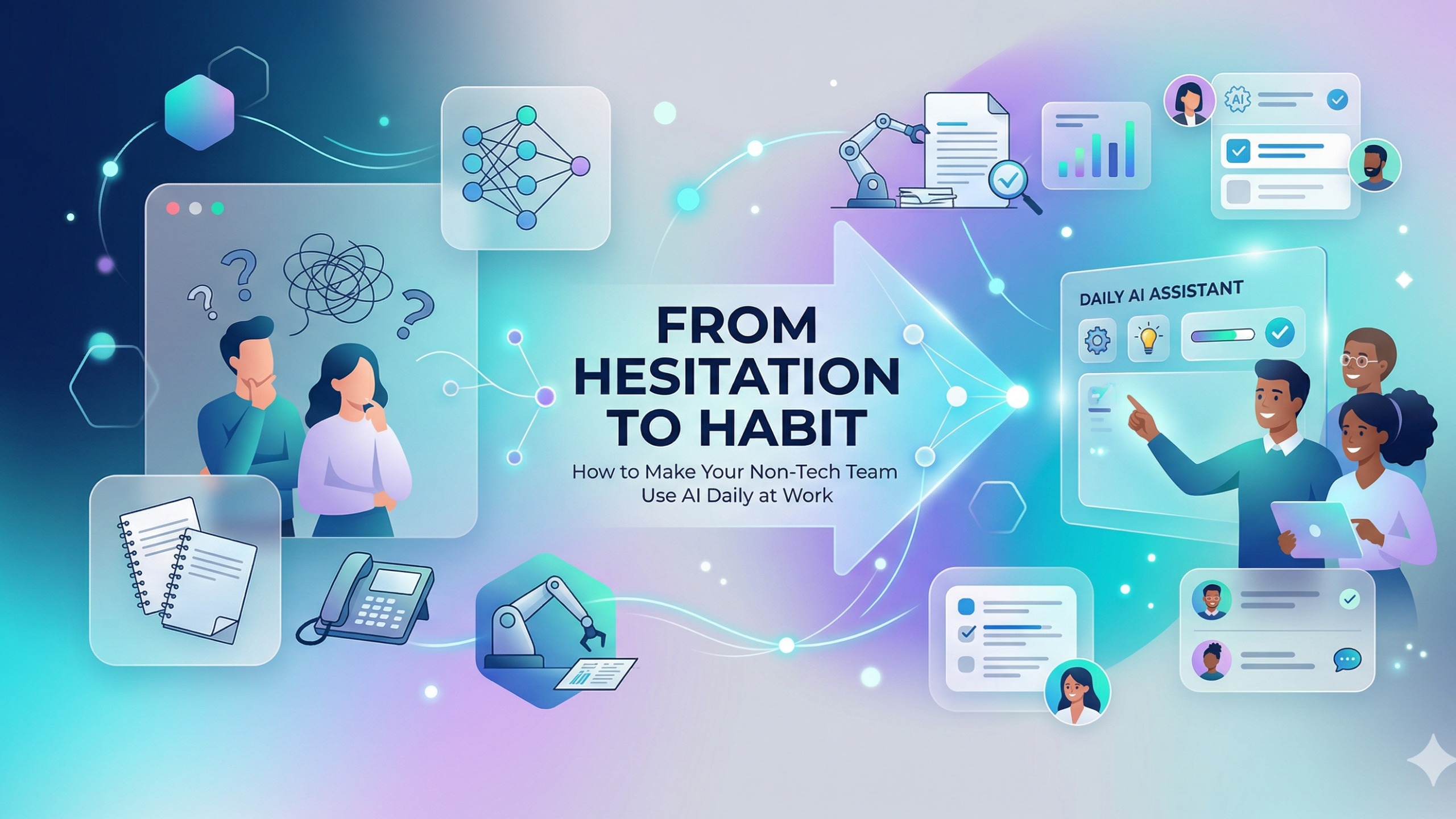
From Hesitation to Habit: How to Make Your Non-Tech Team Use AI Daily at Work
Contents
- The Fear Factor: Naming the Elephant Before It Tramples the Room
- AI for Non-Techies: Why Low-Friction Entry Points Beat Big Launches
- Entry Point 1: The Email Architect
- Entry Point 2: The Meeting Summariser
- Entry Point 3: The Brainstorming Partner
- The Prompt Template Library: The Single Highest-Impact Investment
- How to Build Your Prompt Library
- Making It Stick: The Win of the Week Habit Loop
- The Mumbai Retail Case: What a 40% Admin Load Reduction Actually Looks Like
- Non Tech Team Use AI Daily Work: Your 30-Day Launch Plan
- AI for Non-Techies: Your Team's Next Step
There is a specific expression you have probably seen on the faces of your team members when you bring up AI. It is not confusion — they understand what AI is. It is something closer to wariness: "What exactly is this going to mean for my job?"
That expression is the real adoption barrier. Not the login screen. Not the learning curve. Not the subscription cost. The fear. And until you address the fear directly and honestly, every AI tool you introduce will be used begrudgingly in meetings and ignored everywhere else.
This guide is for the operations managers, department heads, and team leads who want to help their non tech team use AI daily work — not by issuing mandates or running one-day training workshops that everyone forgets by Monday, but by building genuine, lasting habits. The kind where your logistics coordinator is showing you a new AI shortcut in three months' time.
The Fear Factor: Naming the Elephant Before It Tramples the Room
The first and most important thing you can do to enable AI adoption in a non-technical team is say the thing nobody else is saying out loud.
"I know some of you are wondering whether AI is here to replace your job. I want to address that directly."
Not a slide. Not a policy memo. A real conversation, in a team meeting, where the concern is acknowledged, not deflected.
Here is the framing that is both honest and accurate for 2026's AI tools: AI is a Digital Intern, not a Digital Replacement.
Think about what an intern can do. They can draft the first version of an email for you to review. They can take notes in a meeting and send you a summary. They can spend an afternoon researching options and presenting you with a shortlist. They are fast at volume work and terrible at judgment. They need to be told what to do, checked when they get things wrong, and guided by someone who knows the context.
That is exactly what today's AI tools do. ChatGPT, Copilot, Claude — they are extremely capable at the volume, repetitive, first-draft work that consumes a significant proportion of every non-technical employee's day. They are not capable of the relationship management, the contextual judgment, the institutional knowledge, or the emotional intelligence that makes an experienced employee valuable. Those capabilities — the ones your team actually has and has built over years — are not what AI automates. They are what AI amplifies, by freeing up the time that was previously consumed by the grunt work.
The conversation shifts when team members start thinking about their job not as "the tasks I do" but as "the judgment I exercise." Judgment does not scale with an AI login. Tasks do.

AI for Non-Techies: Why Low-Friction Entry Points Beat Big Launches
The instinct of most organisations is to launch AI with a flourish: a training day, a new platform rollout, a company-wide announcement. This approach consistently produces a spike in initial engagement and a rapid return to pre-AI workflows within three weeks.
The reason: a training day gives people information. Habit formation requires repeated low-stakes practice with immediate positive feedback.
The better approach is to pick three tasks that every non-technical employee already does daily — tasks that are genuinely annoying, time-consuming, and not what the employee considers their most important work — and show them how AI makes those three specific tasks faster and better. Start there. Build the daily habit on those three tasks. Expand from the foundation of actual daily use.
Here are the three entry points that work across virtually every non-technical role in Mumbai's retail, real estate, logistics, and operations teams.
Entry Point 1: The Email Architect
The problem: How much time does your team spend staring at an email that requires a polite, professional response to a frustrated client, a sensitive internal request, or a complaint that needs to be handled carefully? For most non-technical employees in customer-facing or cross-functional roles, this is 45–90 minutes daily of careful word-crafting.
The AI solution: A well-prompted AI tool can produce a professional, context-appropriate first draft in under 30 seconds. The employee reviews it, edits for tone and specific details, and sends. The craft of the email is still theirs — the blank-page problem is gone.
The prompt that works:
You are a professional business communication assistant.

Context: I work at [Company Name], a Mumbai-based [retail/logistics/real
estate] company.

Task: Write a polite, professional reply to the following email from a
client who is frustrated about a delayed delivery:

[Paste the original email here]

Tone: Empathetic but confident. Acknowledge the delay without over-
apologising. Offer a concrete next step.
Length: 3–4 short paragraphs.
Time saving: 20–40 minutes per day for customer-facing roles. 15–25 minutes per day for internally-focused roles.
Why it works as a first habit: The output is immediately visible. The employee reads the AI draft, recognises that it captures what they wanted to say but would have taken them 20 minutes to write, and has their first genuine "this is useful" experience. That moment is the seed of the habit.
Entry Point 2: The Meeting Summariser
The problem: Every team has meetings. Every meeting produces a set of decisions, actions, and commitments that need to be captured — and usually are not, or are captured partially in someone's personal notes that nobody else sees, or are written up by whoever volunteered to take minutes and usually takes 45 minutes to produce a document that summarises a 30-minute meeting.
The AI solution: Record the meeting (Teams, Zoom, and Google Meet all offer built-in transcription in 2026). At the end, paste the transcript into an AI tool with a simple prompt. Receive a structured summary with decisions made and action items with owners in under two minutes.
The prompt that works:
Below is the transcript of a 30-minute team meeting at a Mumbai retail
company. Please produce:

1. A one-paragraph executive summary (what was the meeting about and
   what was decided)
2. A list of key decisions made (with bullet points)
3. A list of action items (format: Task — Owner — Deadline, where
   mentioned)
4. Any unresolved questions that need a follow-up

Be concise. Use plain language. Avoid jargon.

[Paste transcript here]
Time saving: 30–60 minutes per meeting in note-taking and write-up time. For operations managers who attend 3–5 meetings daily, this is 1.5–3 hours reclaimed per day.
Why it works as a first habit: The output is immediately distributable — copy it into WhatsApp, email, or your project management tool. The team stops saying "what did we decide in that meeting?" and the manager stops being the single point of institutional memory. The operational value is visible to everyone within the first week.
Entry Point 3: The Brainstorming Partner
The problem: Many non-technical employees are asked to generate ideas — for a client event, a social media campaign, a store display theme, a customer retention offer — and the "blank page" problem is particularly acute when idea generation is not considered their core skill. A logistics coordinator asked to propose three ideas for the company's Diwali client gifting campaign should not have to feel like they are being evaluated on their creativity.
The AI solution: AI generates 10 starting ideas in 30 seconds, none of which need to be used as-is, but all of which are enough to unlock the employee's own thinking. The role of the AI here is not to replace the employee's judgment but to eliminate the paralysis of the blank page.
The prompt that works:
I work at a Mumbai-based [logistics/retail/real estate] company. Our
team needs to plan our Diwali client appreciation event for 35 business
clients in BKC and Lower Parel.

Please give me 10 creative ideas for a memorable event or gesture.
Ideas should be:
- Appropriate for a B2B professional relationship
- Feasible on a budget of ₹500–₹1,000 per client
- Grounded in Mumbai's cultural context

After the 10 ideas, suggest which 3 would have the highest perceived
value-to-cost ratio and why.
Time saving: 1–2 hours per project initiation. More importantly, it removes the psychological friction that causes employees to delay starting projects that require creative input.
Why it works as a first habit: It feels like having a knowledgeable collaborator available on demand. The employee does not feel like the AI is doing their job — they feel like they are better at their job because they have a brainstorming partner who is always available, never bored, and never judges the quality of the question.
The Prompt Template Library: The Single Highest-Impact Investment
Here is the reality of AI adoption in non-technical teams: access to the tool without access to the right prompts produces low-quality outputs and rapid disengagement.
The blank-page problem does not disappear when you give someone a ChatGPT login. It reappears in a new form: "What do I even ask it?" Most non-technical employees given AI access without guidance will type something vague like "write an email about the delivery delay," receive a generic, context-free output that is no better than what they would have written themselves, and conclude that the tool is overrated.
The solution is the Prompt Template Library — a curated collection of pre-built, field-tested prompts tailored to your organisation's specific use cases, waiting for the employee to fill in the context-specific blanks.
How to Build Your Prompt Library
Step 1: Identify the 10 most common writing, research, or summarisation tasks your team does. Canvass your team leads. Which tasks take the most time? Which ones do people dread? Which ones produce outputs that look similar every time because the format is consistent?
Step 2: Build a "base prompt" for each task. A base prompt includes: the role context (who the AI should write as), the output format, the tone requirement, and a clear placeholder for the variable content. The three prompts above are examples.
Step 3: Store them where your team already works. A Google Doc called "Our AI Prompt Library" is better than a sophisticated system nobody navigates. A pinned message in your team's WhatsApp group or Teams channel is even better. The prompt library should be one tap away, not a login away.
Step 4: Iterate with the team. After two weeks, run a 15-minute review: which prompts produced good results? Which need refining? The team members who have used the prompts most are now the contributors to the next version. This co-ownership is critical — a prompt library built entirely by management is used by management. A prompt library that the team helped build is used by the team.
Making It Stick: The Win of the Week Habit Loop
Tool access creates the possibility of a habit. Social incentives create the habit itself.
The Win of the Week is a simple ritual: at the start of your weekly team meeting — not a separate meeting, the one you are already having — you ask: "Did anyone save significant time with AI this week? Thirty minutes or more?"
The first week, you will probably have to share your own example. The second week, one brave team member will share theirs. By the fourth week, multiple people will be competing to share. By the eighth week, team members who are not using AI will feel a gentle, productive social pressure to try.
The mechanism is not peer pressure — it is peer permission and social learning. When a 55-year-old accounts manager at your Lower Parel office shares that she used AI to write an RFP response in 40 minutes instead of 3 hours, the colleagues who thought AI was "for the young techie types" update their model of who AI is for. That update is worth more than any training programme you could run.
The Win of the Week rules:
- One to two minutes maximum per share — keep it brief and practical
- Must include the specific task, the specific tool used, and the approximate time saved
- No judgment on small wins — 30 minutes matters as much as 3 hours at the habit-formation stage
- Wins are celebrated, not evaluated — the goal is participation, not performance
Over time, this ritual builds an internal library of use cases specific to your organisation, your team, and your workflows — far more valuable than any external training content, because it is grounded in actual work your team members do.
The Mumbai Retail Case: What a 40% Admin Load Reduction Actually Looks Like
A mid-sized Mumbai-based retail distributor with 28 office staff across two locations — one in Andheri, one in Thane — faced a familiar challenge in early 2025: their operations team was spending an estimated 35–40% of their working hours on what the head of operations called "admin that doesn't add value." Purchase order follow-up emails. Meeting minutes. Supplier communication. Internal status updates. Client appointment confirmations.
The AI adoption programme they ran was deliberately unambitious in its first 90 days. No platform rollout. No formal training programme. One department head, three prompt templates, and a weekly WhatsApp group where people shared what was working.
By the end of Month 3, the team's self-reported administrative burden had dropped by 40%. Supplier communication that used to take the operations team 90 minutes daily was down to 25 minutes. Meeting summaries that nobody was writing before — and whose absence was causing repeated "what did we decide?" confusion — were now being produced and distributed within 10 minutes of every meeting. Client appointment follow-ups that used to require individual manual emails were templated and sent in batches.
The most significant outcome was not the time saving. It was what people did with the reclaimed time: two operations staff members voluntarily expanded their scope to handle client relationships that the company had not been able to service adequately. The client retention impact in the following quarter was measurable.
The investment: three prompt templates, a WhatsApp group, and 30 minutes of the head of operations' time each week. No AI platform spend beyond an existing ChatGPT Team subscription. No hiring. No disruption to the core workflow.
Non Tech Team Use AI Daily Work: Your 30-Day Launch Plan
Here is the practical schedule for a team lead who wants to launch AI habit formation across a non-technical team of 10–25 people:
Day 1–3: Internal reconnaissance. Identify the three tasks your team spends the most time on that are volume-based, repetitive, or "first-draft" in nature. If you are unsure, ask directly in a 10-minute team conversation: "Which tasks do you wish took less time?"
Day 4–7: Build three prompt templates. Using the structure from this guide, build a prompt template for each of the three identified tasks. Test each template yourself — use it for real work tasks and refine the prompt until the output is genuinely useful. A prompt template that produces mediocre output will not build the habit.
Day 8: Introduce at the team meeting. Spend 10 minutes demonstrating the tool live — not a video, a live demonstration with a real task from your actual workload. Show the prompt going in and the output coming out. Show yourself editing the output before using it. The "I review it, I don't just publish it" demonstration is important for both quality confidence and fear reduction.
Day 9–14: First week of use. Encourage — do not mandate — team members to try at least one of the three templates for a real task. Make yourself available for questions. Share the prompt library (a simple doc or pinned message is sufficient).
Day 15: First Win of the Week. At your regular meeting, introduce the ritual. Share your own win — specific, timed, honest.
Day 16–30: Iterate and expand. By Day 25, at least half your team will have a genuine "this saved me time" experience. Identify the most-used templates and refine them based on feedback. Begin identifying the next three tasks for automation.
Day 30: Review. Survey the team informally — which tasks are you using AI for? How much time do you estimate you have saved this week? The data you collect will be the evidence you need to expand the programme and make the case to leadership for deeper investment.
AI for Non-Techies: Your Team's Next Step
The shift from hesitation to habit does not happen in a training day. It happens in the accumulation of small, daily experiences where AI makes something easier, faster, or less stressful — until the idea of doing it manually feels as archaic as manually calculating a column sum instead of using Excel's SUM function.
Your team is ready for that shift. What they need is not more technology. It is the right introduction, the right prompts, and a manager who is willing to model the behaviour first.
TechPaathshala's "AI for All" Team Workshop is a half-day, hands-on session designed specifically for non-technical teams in Mumbai — operations, sales support, customer service, HR, and administration staff who want to use AI confidently in their daily work without needing to understand how it works under the hood.
In the workshop, your team will:
- Have the fear conversation — directly, honestly, and with a reframing that is grounded in 2026's actual AI capabilities and limitations, not hype or reassurance
- Build their personal prompt library — not generic templates, but prompts built for their specific role, their specific tasks, and your organisation's specific communication style
- Practice the three entry points live — email, meeting summarisation, and brainstorming — with real tasks from their actual workload, so the habit starts during the workshop rather than theoretically after it
- Set up the Win of the Week ritual — with a facilitator who helps the team define the habit loop they will run independently after the session
- Leave with a 30-day adoption plan — specific, personalised, and formatted as a one-page reference they can use to stay on track
The workshop is available as an on-site session at your Mumbai office or as a half-day virtual cohort for distributed teams. Groups of 8–25 participants.
👉 Book TechPaathshala's "AI for All" Team Workshop for Your Mumbai Team — and turn the hesitation in your team meeting into a habit that shows up in this quarter's productivity numbers.
TechPaathshala is a Mumbai-based technology education platform helping organisations of all sizes build practical AI habits — from individual upskilling to team-wide adoption programmes for non-technical staff.