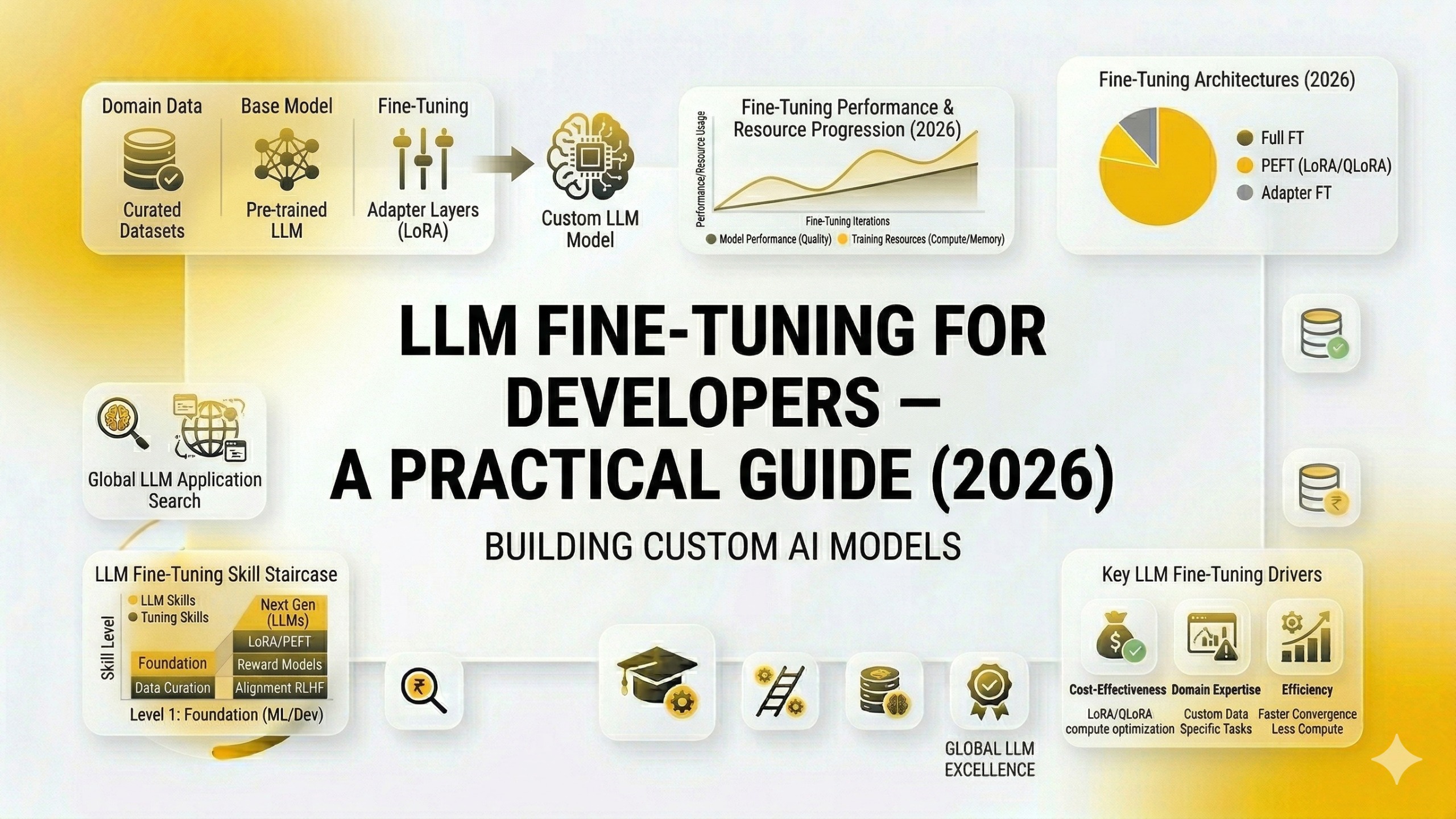
LLM Fine-Tuning for Developers — A Practical Guide (2026)
Contents
- What Fine-Tuning Actually Is
- What Fine-Tuning Changes
- When to Fine-Tune: The Decision Framework
- First, Exhaust Prompt Engineering
- The Fine-Tuning Decision Checklist
- The Fine-Tuning Landscape in 2026: Techniques That Matter
- Full Fine-Tuning
- LoRA — Low-Rank Adaptation
- QLoRA — Quantised Low-Rank Adaptation
- RLHF and DPO — For Alignment Tasks
- The Fine-Tuning Pipeline: End-to-End
- Step 1: Define the Task and Success Metrics Precisely
- Step 2: Build the Training Dataset
- Step 3: Choose Your Base Model
- Step 4: Train the Model
- Step 5: Evaluate Rigorously
- Step 6: Deploy and Monitor
- Common Fine-Tuning Mistakes That Kill Results
- Fine-Tuning as a Career Skill in 2026
- Your Practical Starting Point
At some point in almost every serious AI engineering project, a developer hits the same wall.
The LLM is smart. It understands the domain. It answers questions correctly most of the time. But it does not quite sound like the product. It formats its responses inconsistently. It occasionally drifts outside the boundaries you need it to stay within. You have tried longer system prompts. You have tried few-shot examples. You have tried temperature adjustments. The outputs are better — but not reliably, consistently, production-grade better.
This is the moment when fine-tuning enters the conversation.
Fine-tuning is the process of taking a pre-trained LLM and further training it on a smaller, curated dataset specific to your use case — so that the model's behaviour, tone, format, and domain understanding are shaped to your exact requirements. Done correctly, it is one of the most powerful tools in an AI engineer's kit. Done incorrectly, it is expensive, time-consuming, and produces a model that performs worse than the base model it started from.
This guide gives you the practical map: what fine-tuning is, when it is the right solution (and when it is not), how the process works end-to-end, which techniques matter in 2026, and how to start building this skill in a way that is immediately relevant to your career.

What Fine-Tuning Actually Is
Pre-training a large language model from scratch — the process that creates GPT-4, Claude, or Llama — requires billions of tokens of text data, thousands of GPUs running for months, and compute budgets measured in tens of millions of dollars. It is done by AI labs, not by development teams.
Fine-tuning starts from the result of that process. You take a model that has already learned language, reasoning, and general world knowledge from pre-training, and you train it further on a much smaller, task-specific dataset. The model's weights are adjusted — not reset — so it retains its general intelligence while developing specialised behaviour in the area you are training it on.
Think of it this way. Pre-training is a university education — broad, comprehensive, years of accumulated knowledge. Fine-tuning is the professional apprenticeship that follows — specific, applied, shaped by the exact context of the role.
The dataset you fine-tune on is typically composed of input-output pairs: examples of the exact type of prompt the model will receive in production, paired with the exact type of response you want it to produce. The model learns, from these examples, what good behaviour looks like for your specific use case.
What Fine-Tuning Changes
Fine-tuning adjusts:
- Style and tone — how the model sounds (formal, conversational, technical, empathetic)
- Output format — whether responses are in JSON, markdown, bullet points, or specific templates
- Domain specialisation — how the model reasons about and discusses a specific subject area
- Instruction following — how reliably the model follows complex, multi-constraint instructions
- Boundary adherence — how consistently the model stays within defined scope
Fine-tuning does not reliably:
- Add new factual knowledge the base model does not have (use RAG for this)
- Fix fundamental reasoning limitations of the base model
- Make a smaller model perform like a larger one on complex tasks
This distinction — fine-tuning for behaviour, RAG for knowledge — is the most important conceptual clarity to develop before deciding whether fine-tuning is the right solution for your problem.
When to Fine-Tune: The Decision Framework
Fine-tuning is the right solution for a specific and identifiable set of problems. Using it for the wrong problem wastes significant time and compute. Before committing to a fine-tuning project, work through this decision framework honestly.
First, Exhaust Prompt Engineering
Before fine-tuning, you should have genuinely tried prompt engineering at a serious level. Not just a basic system prompt — a carefully structured system prompt with explicit instructions, format specifications, and 3–5 few-shot examples of exactly the behaviour you want.
If well-engineered prompting with few-shot examples produces the behaviour you need reliably, fine-tuning is unnecessary overhead. Prompting is cheaper, faster to iterate, and easier to update.
If you have done this work honestly and the model still produces inconsistent output — wrong format some percentage of the time, tone drift under certain conditions, unreliable instruction following — then fine-tuning is worth evaluating.
The Fine-Tuning Decision Checklist
Fine-tuning is likely the right solution if:
☑ You have a highly specific, consistent output format requirement — JSON schemas, domain-specific templates, structured clinical notes, legal document formats — that few-shot prompting cannot make reliable at production scale.
☑ You need to shorten prompts significantly at inference time — Every inference call with a 2,000-token system prompt plus 5 few-shot examples costs significantly more than a call with a 200-token system prompt to a fine-tuned model that already knows the behaviour. At high volume, fine-tuning pays for itself in inference cost reduction.
☑ You are working in a highly specialised domain — Medical coding, legal contract analysis, financial instrument classification, Marathi-language customer service — domains with specific vocabulary, reasoning patterns, and output conventions that general-purpose prompting struggles to capture consistently.
☑ You need the model to follow complex multi-constraint instructions reliably — When "always do X, never do Y, format as Z, only discuss topics A and B" needs to be followed perfectly across thousands of calls, fine-tuning on examples of correct behaviour is more reliable than hoping the system prompt is always parsed correctly.
☑ You have good training data — At least 50–100 high-quality examples for simple tasks; 500–1,000+ for complex behaviour. If you do not have this data yet, building the dataset is the first and most important step.
Fine-tuning is likely not the right solution if:
☒ The problem is that the model does not know your proprietary data — This is a RAG problem, not a fine-tuning problem.
☒ You do not have a consistent evaluation metric — If you cannot define what "better" means and measure it objectively, you cannot know whether your fine-tuned model is actually better than the base model.
☒ Your use case is changing rapidly — Fine-tuning produces a static model. If the desired behaviour evolves frequently, re-fine-tuning repeatedly is operationally expensive. Prompting is easier to update.
☒ You have fewer than 50 high-quality examples — Fine-tuning on too little data produces a model that memorises examples rather than learning the pattern. Collect more data first.
The Fine-Tuning Landscape in 2026: Techniques That Matter
The fine-tuning landscape has evolved significantly. In 2026, these are the techniques that are practically relevant for most development teams.
Full Fine-Tuning
The original approach: update all of the model's weights on your training dataset. Every parameter in the model is adjusted.
When it applies: Large organisations with significant compute budgets and the need to fundamentally reshape model behaviour. Rarely practical for development teams working on product features.
The constraint: Training a 7B parameter model requires substantial GPU resources — typically multiple A100 or H100 GPUs running for hours to days. For teams without a dedicated ML infrastructure, this is a significant barrier.
LoRA — Low-Rank Adaptation
LoRA is the technique that made fine-tuning accessible to development teams without research-lab compute budgets. It is the most practically important fine-tuning technique to understand in 2026.
How it works: Instead of updating all of the model's weights, LoRA freezes the original model weights and trains two small additional matrices that are multiplied together to produce a low-rank approximation of the weight updates. These adapter matrices are tiny relative to the full model — typically less than 1% of the total parameter count.
At inference time, the LoRA adapter weights are merged back into the original model weights, and the model runs at the same speed as the base model. There is no inference latency penalty for using LoRA.
Why this matters: LoRA makes it possible to fine-tune a 7B parameter model on a single consumer GPU (e.g., an A10G or even a high-VRAM consumer card). The compute cost drops from "research lab" to "accessible startup." The training time drops from days to hours.
The key hyperparameters:
r(rank): Controls the size of the adapter matrices. Higher rank = more capacity to learn = more compute and memory. Start withr=16and adjust based on task complexity.alpha: Scaling factor. Typically set to2 * ras a starting default.target_modules: Which layers to apply LoRA to. For most transformer models, targeting the attention layers (q_proj,v_proj) is the standard starting point.
QLoRA — Quantised Low-Rank Adaptation
QLoRA combines LoRA with model quantisation — representing model weights in lower precision (4-bit instead of 16-bit or 32-bit) to reduce memory requirements dramatically.
The practical result: you can fine-tune a 13B or even 70B parameter model on a single GPU that would otherwise require multiple GPUs for standard LoRA. Memory requirements drop by approximately 4x compared to 16-bit LoRA.
QLoRA is the technique that has made fine-tuning large open-source models (Llama 3, Mistral, Falcon) accessible to developers working on consumer-grade or single-node cloud GPU instances.
When to use QLoRA over LoRA: When you are working with larger models (13B+) and GPU memory is the primary constraint. The trade-off is slightly slower training compared to standard LoRA, but for most practical use cases the quality difference is negligible.
RLHF and DPO — For Alignment Tasks
RLHF (Reinforcement Learning from Human Feedback) is the technique used to align base models to be helpful, harmless, and honest — the process behind models like ChatGPT and Claude. It involves human raters evaluating model outputs, training a reward model on those ratings, and using reinforcement learning to optimise the LLM toward higher-reward outputs.
DPO (Direct Preference Optimisation) is a more recent, simpler alternative to RLHF that achieves similar alignment results without a separate reward model. Given pairs of preferred and rejected responses for the same prompt, DPO directly optimises the model to prefer the chosen response.
Relevance for most development teams: RLHF is complex to implement correctly and requires significant human rating infrastructure. DPO is more accessible and worth understanding for teams working on AI assistant products where response quality alignment is a core concern. For most product feature fine-tuning (format, style, domain), standard supervised fine-tuning on input-output pairs is sufficient without alignment techniques.
The Fine-Tuning Pipeline: End-to-End
Step 1: Define the Task and Success Metrics Precisely
Before touching data or code, write down in one paragraph exactly what you want the fine-tuned model to do differently from the base model. Be specific. Not "answer customer queries better" but "respond to customer support queries in JSON format with fields: issue_category, resolution_steps, escalate_flag, tone, following the tone guidelines in our brand voice document, and never discussing competitor products."
Then define how you will measure success. What is your evaluation metric? Response format accuracy (is the JSON always valid and complete)? BLEU or ROUGE score against gold-standard responses? Human evaluation by domain experts? A classifier that scores outputs on specific dimensions?
Without a clear metric, you cannot know whether your fine-tuned model is better than the base model. This step is the most important and the most frequently skipped.
Step 2: Build the Training Dataset
Dataset quality is the dominant factor in fine-tuning success. A small, high-quality dataset outperforms a large, mediocre one consistently.
Dataset format: For supervised fine-tuning (the most common approach), you need input-output pairs. Each example has a prompt (what the model receives) and a completion (the ideal response you want the model to produce).
For chat-based fine-tuning (fine-tuning a conversational model), examples are structured as conversation turns:
{
  "messages": [
    {
      "role": "system",
      "content": "You are a customer support assistant for an Indian e-commerce platform. Always respond in the following JSON format: {\"category\": \"\", \"response\": \"\", \"escalate\": false}"
    },
    {
      "role": "user",
      "content": "My order was supposed to arrive yesterday and it still hasn't come. Order ID is #45821."
    },
    {
      "role": "assistant",
      "content": "{\"category\": \"delayed_delivery\", \"response\": \"I apologise for the delay on order #45821. I have flagged this for our logistics team and you will receive an update within 2 hours. If the order does not arrive by end of day, please contact us for a replacement or refund.\", \"escalate\": false}"
    }
  ]
}
Dataset size guidelines:
- Simple format or style changes: 50–200 high-quality examples
- Domain adaptation (specialised vocabulary and reasoning): 500–2,000 examples
- Complex multi-constraint behaviour: 1,000–5,000+ examples
- Fundamental behaviour changes: 5,000+ examples
Data quality checklist:
- Every example reflects exactly the behaviour you want — no "mostly correct" examples that could teach bad habits
- Examples cover the full range of input variations the model will see in production
- Edge cases and tricky inputs are represented — not just the easy cases
- A human expert has reviewed every example, not just a sample
- No duplicate or near-duplicate examples that could cause memorisation
Generating synthetic training data: When you do not have enough real examples, you can use a high-quality LLM (GPT-4o, Claude 3.5 Sonnet) to generate synthetic examples. Give it your task definition, a few seed examples, and ask it to generate variations. Always review synthetic data before using it — LLM-generated training data can introduce subtle errors that propagate into your fine-tuned model.
Step 3: Choose Your Base Model
The base model you fine-tune on determines the ceiling of what your fine-tuned model can achieve. Fine-tuning does not make a weak model strong — it shapes the behaviour of an already capable model.
OpenAI fine-tuning API (GPT-3.5 Turbo, GPT-4o Mini): The most accessible entry point for developers without ML infrastructure. Upload your JSONL training file via API, trigger training, and receive a fine-tuned model endpoint. No GPU management, no infrastructure setup. Best for teams that want to fine-tune without managing compute.
Llama 3 (Meta, open-source): The open-source standard in 2026. Available in 8B and 70B parameter sizes. Fine-tuning Llama 3 on your own infrastructure means no per-token API costs at inference time and no data leaving your environment — critical for applications handling sensitive financial, medical, or legal data. Requires GPU access (cloud or on-premises).
Mistral models (Mistral AI): Strong performance per parameter, open weights, well-supported by the fine-tuning ecosystem. A strong alternative to Llama 3 for teams that want open-source flexibility.
Gemma (Google, open-source): Google's open-source model family. Particularly strong on code and multilingual tasks. Worth evaluating for applications with Hindi or Marathi language requirements.
Choosing between managed API and open-source:
| Managed API (OpenAI) | Open-Source (Llama/Mistral) | |
|---|---|---|
| Infrastructure | None required | GPU access required |
| Data privacy | Data sent to OpenAI | Fully on-premises option |
| Inference cost | Per-token pricing | Fixed infrastructure cost |
| Flexibility | Limited to available base models | Any open-source model |
| Barrier to entry | Very low | Moderate to high |
Step 4: Train the Model
Using the OpenAI API (simplest path):
from openai import OpenAI

client = OpenAI()

# Upload training file
with open("training_data.jsonl", "rb") as f:
    response = client.files.create(file=f, purpose="fine-tune")
    file_id = response.id

print(f"Training file uploaded: {file_id}")

# Start fine-tuning job
job = client.fine_tuning.jobs.create(
    training_file=file_id,
    model="gpt-4o-mini-2024-07-18",
    hyperparameters={
        "n_epochs": 3,          # start with 3, adjust based on results
        "batch_size": "auto",
        "learning_rate_multiplier": "auto"
    }
)

print(f"Fine-tuning job started: {job.id}")

# Check job status
job_status = client.fine_tuning.jobs.retrieve(job.id)
print(f"Status: {job_status.status}")
print(f"Fine-tuned model: {job_status.fine_tuned_model}")
Using Hugging Face + LoRA for open-source models:
from transformers import AutoModelForCausalLM, AutoTokenizer, TrainingArguments
from peft import LoraConfig, get_peft_model
from trl import SFTTrainer
from datasets import load_dataset

# Load base model and tokenizer
model_name = "meta-llama/Meta-Llama-3-8B-Instruct"
tokenizer = AutoTokenizer.from_pretrained(model_name)
model = AutoModelForCausalLM.from_pretrained(
    model_name,
    load_in_4bit=True,          # QLoRA: 4-bit quantisation
    device_map="auto"
)

# Configure LoRA
lora_config = LoraConfig(
    r=16,                        # rank
    lora_alpha=32,               # scaling factor
    target_modules=["q_proj", "v_proj"],  # attention layers
    lora_dropout=0.05,
    bias="none",
    task_type="CAUSAL_LM"
)

model = get_peft_model(model, lora_config)
model.print_trainable_parameters()  # verify: should be < 1% of total params

# Load your dataset
dataset = load_dataset("json", data_files="training_data.jsonl")

# Training configuration
training_args = TrainingArguments(
    output_dir="./fine_tuned_model",
    num_train_epochs=3,
    per_device_train_batch_size=4,
    gradient_accumulation_steps=4,
    learning_rate=2e-4,
    fp16=True,
    logging_steps=10,
    save_strategy="epoch"
)

# Train
trainer = SFTTrainer(
    model=model,
    args=training_args,
    train_dataset=dataset["train"],
    tokenizer=tokenizer,
    dataset_text_field="text"
)

trainer.train()
trainer.save_model("./fine_tuned_model")
Step 5: Evaluate Rigorously
This is the step most developers rush — and where the most value is lost.
Never deploy a fine-tuned model based on subjective impression. Use a held-out evaluation dataset (examples not in the training set) and measure your defined success metrics objectively.
Automated evaluation metrics:
- Format accuracy: What percentage of responses match the required format exactly? (JSON validity, required fields present, no prohibited content)
- ROUGE-L: Measures overlap between generated and reference responses. Useful for summarisation and structured output tasks.
- Exact match: For classification or extraction tasks where there is one correct answer.
Human evaluation: For tasks where quality cannot be fully captured by automated metrics (tone, helpfulness, naturalness), human evaluation remains the gold standard. Have domain experts rate a sample of fine-tuned model responses against base model responses on defined dimensions. Even 50–100 evaluated examples produces meaningful signal.
The comparison you must make: Always evaluate your fine-tuned model against both the base model and against a well-prompted version of the base model. If your fine-tuned model does not outperform a well-prompted base model on your success metrics, the fine-tuning was not worth the investment.
Regression testing: Fine-tuning on a specific task can degrade performance on other tasks — a phenomenon called catastrophic forgetting. Test your fine-tuned model on a set of general capability prompts to ensure you have not significantly degraded its baseline performance in the process of specialising it.
Step 6: Deploy and Monitor
A fine-tuned model that is not monitored in production is a liability. Model behaviour can drift in unexpected ways when real-world inputs differ from training distribution.
What to monitor:
- Output format validity rate (is the JSON always parseable?)
- Flagged responses (outputs that trigger content filters or business rule violations)
- User feedback signals (thumbs up/down, escalation rates, task completion rates)
- Latency and cost per inference
Build a feedback loop: real-world outputs that represent failures or edge cases become candidates for your next training dataset iteration. Fine-tuning is not a one-time event — it is a cycle of deployment, monitoring, data collection, and improvement.
Common Fine-Tuning Mistakes That Kill Results
Mistake 1: Fine-tuning when prompting would have worked. Fine-tuning is the solution to a specific problem. If the problem is "the model doesn't always follow my format instructions," try a more explicit system prompt with format enforcement before committing to fine-tuning. Many developers fine-tune prematurely.
Mistake 2: Training on mediocre data. Ten bad examples are worse than zero examples. Every training example teaches the model something. If your dataset contains inconsistent, partially correct, or ambiguous examples, your fine-tuned model will reflect that inconsistency. Quality filters on your dataset are not optional.
Mistake 3: Training for too many epochs. More epochs are not always better. Overfitting — where the model memorises training examples rather than learning the generalised pattern — is the most common fine-tuning failure mode. Watch your validation loss. If it starts increasing while training loss continues decreasing, stop training.
Mistake 4: No evaluation dataset. If you used all your data for training, you have no objective way to measure whether the fine-tuned model is better than the base model. Always reserve 10–20% of your dataset for evaluation before training.
Mistake 5: Ignoring the base model's capabilities. Fine-tuning does not change what a model fundamentally can and cannot do. A 1B parameter model fine-tuned on complex reasoning examples will not become a 70B parameter model. Match the base model capability to the task complexity before fine-tuning.
Fine-Tuning as a Career Skill in 2026
The Indian AI engineering job market in 2026 has a clear tier structure. At the top are engineers who can do all three: prompt engineering, RAG implementation, and fine-tuning. Being able to reason about which technique solves which problem — and execute on the right one — is the profile that commands senior AI engineering roles and the salary brackets that accompany them.
Fine-tuning specifically is underrepresented in the self-taught developer community. Most developers who learn AI start with prompting, move to RAG, and stop there. Fine-tuning requires more infrastructure knowledge, more ML intuition, and more careful data thinking — which means the developers who develop this skill face significantly less competition for the roles that require it.
For final-year students: a fine-tuning project in your portfolio — a GitHub repository showing a LoRA fine-tune of Llama 3 on a specific task, with a documented evaluation — is a powerful differentiator from candidates who have only API-called pre-trained models.
For mid-level developers: fine-tuning fluency is the clearest technical signal that separates an "AI-aware" developer from an "AI engineer." It demonstrates understanding of how models actually work, not just how to use them as black boxes.
For senior developers and ML engineers: fine-tuning expertise is the foundation for roles involving model customisation, AI product development, and technical leadership on AI engineering teams — where the decisions about when and how to fine-tune are consequential and poorly made decisions are expensive.
Your Practical Starting Point
The gap between understanding fine-tuning conceptually and doing your first fine-tuning run is smaller than it looks. Here is your starting point:
This week: Set up the OpenAI fine-tuning API. Build a small dataset of 50 examples for a specific task (content classification, structured extraction, tone-consistent responses). Run your first fine-tuning job. Compare the output against the base model on 20 test examples.
Next two weeks: Move to open-source. Set up a Google Colab or cloud GPU instance. Run a QLoRA fine-tune on Llama 3 8B using the trl and peft libraries. Document what you built, what metric you improved, and by how much.
In 30 days: You will have fine-tuned two models, run a real evaluation, and built the mental model of the full pipeline from data to deployment. That is the foundation everything else builds on.